
Linux Foundation
CKS exam questions
Certified Kubernetes Security Specialist (CKS)
Try each question before you reveal its answer.
59 more CKS questions with answers $49.00
Unlock all 64 questions-
Question 1
Single answer
SIMULATION
Create a new ServiceAccount named backend-sa in the existing namespace default, which has the capability to list the pods inside the namespace default.
Create a new Pod named backend-pod in the namespace default, mount the newly created sa backend-sa to the pod, and Verify that the pod is able to list pods.
Ensure that the Pod is running.
Reveal answer
Correct answer
-
A
SeetheExplanationbelow
Explanation
A service account provides an identity for processes that run in a Pod.
When you (a human) access the cluster (for example, using kubectl), you are authenticated by the apiserver as a particular User Account (currently this is usually admin, unless your cluster administrator has customized your cluster). Processes in containers inside pods can also contact the apiserver. When they do, they are authenticated as a particular Service Account (for example, default).
When you create a pod, if you do not specify a service account, it is automatically assigned the default service account in the same namespace. If you get the raw json or yaml for a pod you have created (for example, kubectl get pods/<podname> -o yaml), you can see the spec.serviceAccountName field has been automatically set.
You can access the API from inside a pod using automatically mounted service account credentials, as described in Accessing the Cluster. The API permissions of the service account depend on the authorization plugin and policy in use.
In version 1.6+, you can opt out of automounting API credentials for a service account by setting automountServiceAccountToken: false on the service account:
apiVersion: v1
kind: ServiceAccount
metadata:
name: build-robot
automountServiceAccountToken: false
...
In version 1.6+, you can also opt out of automounting API credentials for a particular pod:
apiVersion: v1
kind: Pod
metadata:
name: my-pod
spec:
serviceAccountName: build-robot
automountServiceAccountToken: false
...
The pod spec takes precedence over the service account if both specify a automountServiceAccountToken value.
No comments yet. Start the discussion.
-
A
-
Question 2
Single answer
SIMULATION
Create a RuntimeClass named gvisor-rc using the prepared runtime handler named runsc.
Create a Pods of image Nginx in the Namespace server to run on the gVisor runtime class
Reveal answer
Correct answer
-
A
See the Explanation below
Explanation
Install the Runtime Class for gVisor
{ # Step 1: Install a RuntimeClass
cat <<EOF | kubectl apply -f -
apiVersion: node.k8s.io/v1beta1
kind: RuntimeClass
metadata:
name: gvisor
handler: runsc
EOF
}
Create a Pod with the gVisor Runtime Class
{ # Step 2: Create a pod
cat <<EOF | kubectl apply -f -
apiVersion: v1
kind: Pod
metadata:
name: nginx-gvisor
spec:
runtimeClassName: gvisor
containers:
- name: nginx
image: nginx
EOF
}
Verify that the Pod is running
{ # Step 3: Get the pod
kubectl get pod nginx-gvisor -o wide
}
No comments yet. Start the discussion.
-
A
-
Question 3
Single answer
SIMULATION
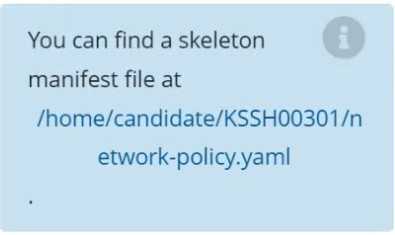
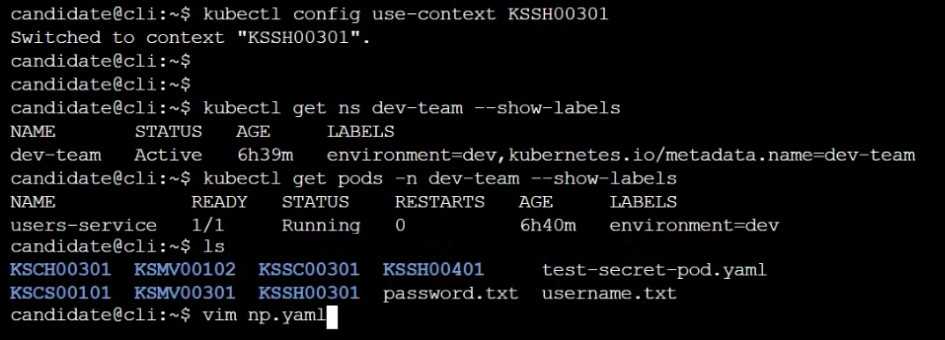
Task Create a NetworkPolicy named pod-access to restrict access to Pod users-service running in namespace dev-team. Only allow the following Pods to connect to Pod users-service:


Reveal answer
Correct answer
-
A
SeetheExplanationbelow
Explanation
No comments yet. Start the discussion.
-
A
-
Question 4
Single answer
SIMULATION
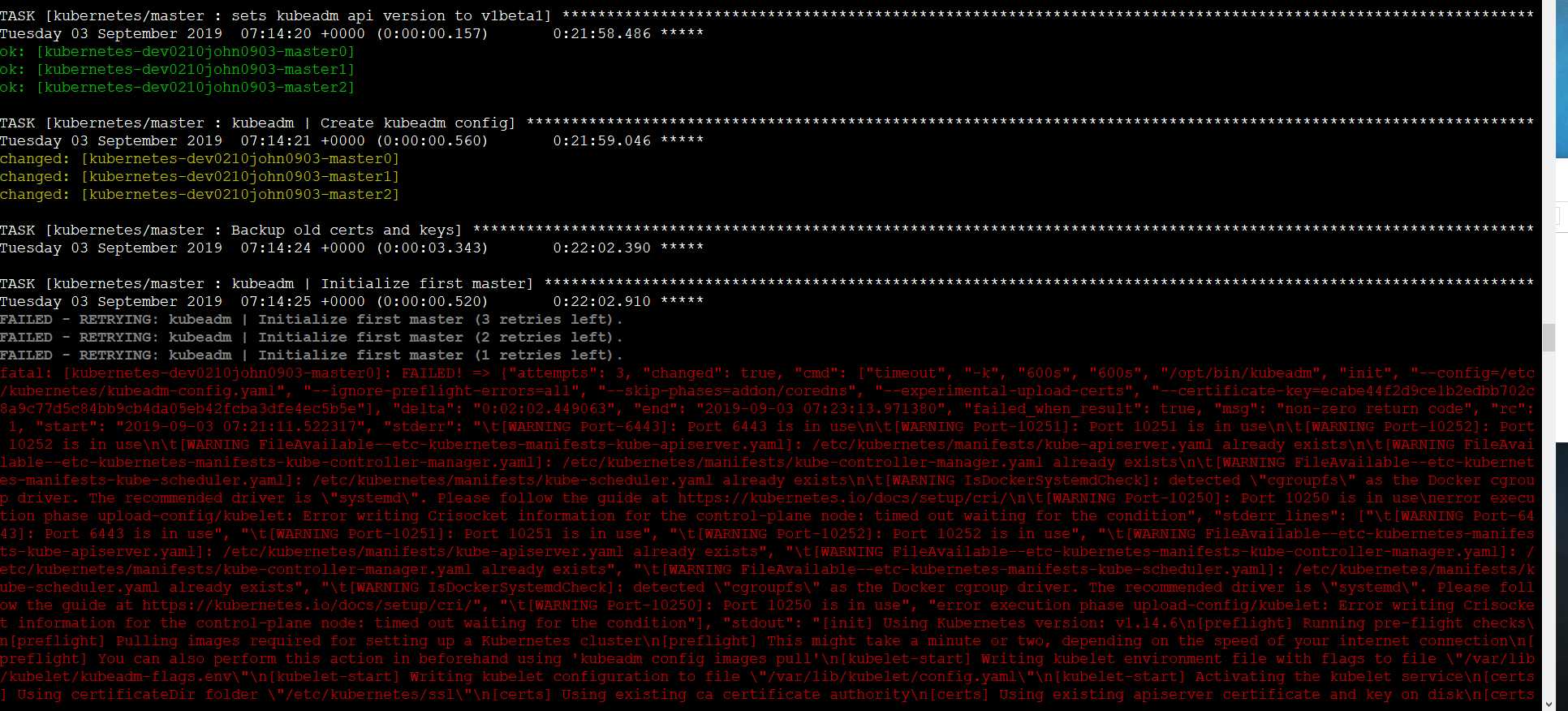
A container image scanner is set up on the cluster.
Given an incomplete configuration in the directory
/etc/kubernetes/confcontrol and a functional container image scanner with HTTPS endpoint https://test-server.local.8081/image_policy
1. Enable the admission plugin.
2. Validate the control configuration and change it to implicit deny.
Finally, test the configuration by deploying the pod having the image tag as latest.
Reveal answer
Correct answer
-
A
SeetheExplanationbelow
Explanation
ssh-add ~/.ssh/tempprivate
eval "$(ssh-agent -s)"
cd contrib/terraform/aws
vi terraform.tfvars
terraform init
terraform apply -var-file=credentials.tfvars
ansible-playbook -i ./inventory/hosts ./cluster.yml -e ansible_ssh_user=core -e bootstrap_os=coreos -b --become-user=root --flush-cache -e ansible_user=core
No comments yet. Start the discussion.
-
A
-
Question 5
Single answer
SIMULATION
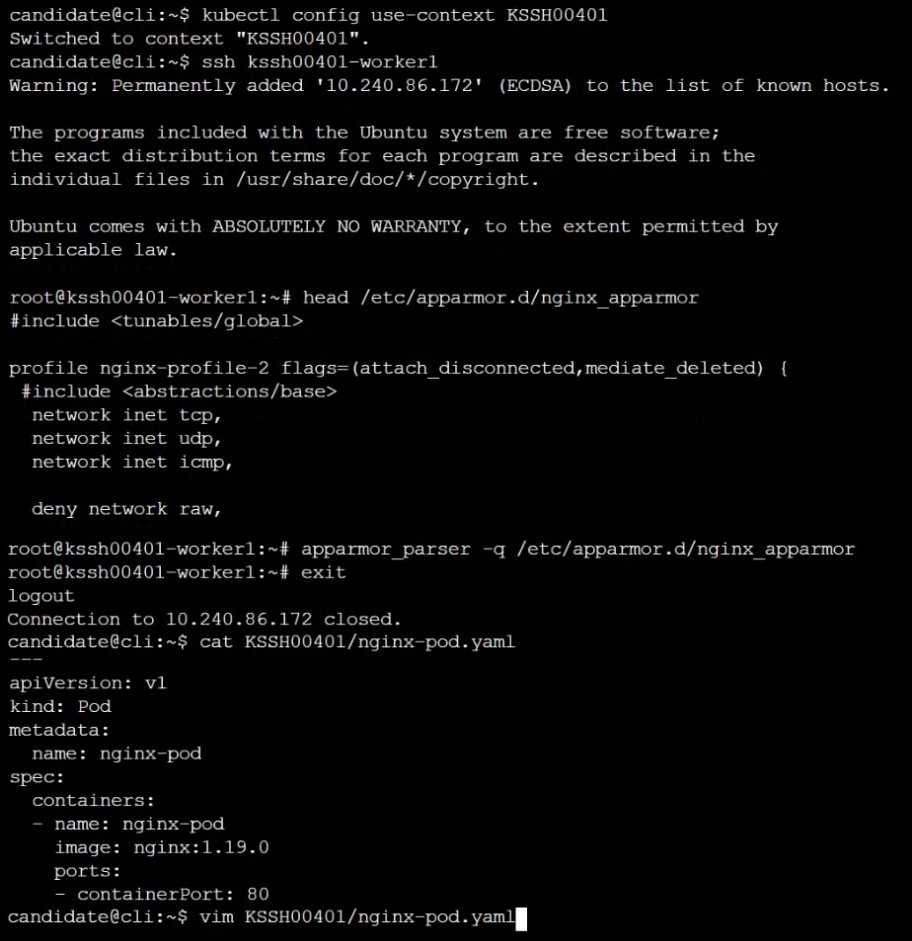
On the Cluster worker node, enforce the prepared AppArmor profile
#include <tunables/global>
profile nginx-deny flags=(attach_disconnected) {
#include <abstractions/base>
file,
# Deny all file writes.
deny /** w,
}
EOF'
Edit the prepared manifest file to include the AppArmor profile.
apiVersion: v1
kind: Pod
metadata:
name: apparmor-pod
spec:
containers:
- name: apparmor-pod
image: nginx
Finally, apply the manifests files and create the Pod specified on it.
Verify: Try to make a file inside the directory which is restricted.
Reveal answer
Correct answer
-
A
SeetheExplanationbelow
Explanation
No comments yet. Start the discussion.
-
A
- Unlock to see this question
- Unlock to see this question
59 questions locked
Unlock all 64 CKS questions
You have tried 5 for free. The other 59 work the same way: answer first, then check.
- Questions
- 64, each with its answer
- Explanations
- 97% of questions explained
- Formats
- Single answer
- Version
- 9.0
- Access
- 3 months from purchase
One-time payment
$49.00
Secure checkout